
Uncategorized

Features vs Benefits: Amazon Listing Tips
Pair each feature with a clear shopper outcome—lead with benefits in bullets and back claims with specs in titles and A+ Content.

Pair each feature with a clear shopper outcome—lead with benefits in bullets and back claims with specs in titles and A+ Content.
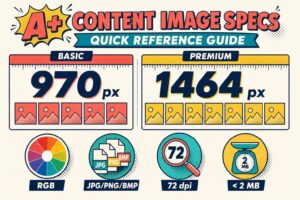
Essential A+ image rules: use RGB JPG/PNG/BMP, <2MB, 72 dpi; 970px Basic (5 modules), 1464px Premium (7 modules).
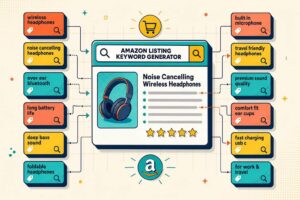
Find relevant Amazon listing keywords fast. Generate long-tail, buyer-intent ideas for better product titles, bullets, and search visibility.

Track and resolve Amazon listing changes using Seller Central logs, flat-file snapshots, and alerts to protect visibility and sales.

Automated per-SKU edit logs with timestamps, user attribution, nightly detection, and side-by-side version comparisons for Amazon listings.

Monitor key listing fields, confirm edits with timestamps, document proof, and restore listings fast to stop hijackers and protect sales.
Confirm edits, trace the source, and restore your Amazon listing using SKU history, Review Listing Changes, and flat files.
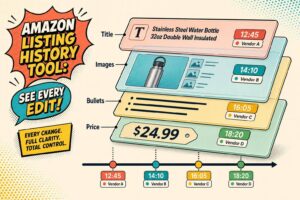
Track field-level Amazon listing edits, match timestamps to sources, and restore correct content fast to stop revenue loss.

How to use listing history, feed reports, and CLRs to find and fix suppressions, traffic drops, and broken variations.

See what Seller Central logs and misses, plus how to use View Change History, Review Listing Changes, and the Category Listing Report.