
If your Amazon copy only lists specs, you leave sales on the table. I’d pair every feature with a clear shopper outcome, because buyers need both: the fact and the reason it matters.
Here’s the short version:
- Features show what the product is: size, material, fit, certification, or compatibility
- Benefits show what the shopper gets: comfort, less hassle, time saved, or longer use
- Titles should stay clear and fact-based
- Bullets should lead with the shopper outcome, then support it with the feature
- Descriptions and A+ Content should start with the use case, then add specs
- The “So what?” test helps cut weak copy
- The FAB method keeps each point focused:
- Feature
- Advantage
- Benefit
On Amazon, this matters because shoppers move fast. In many cases, people skim bullets in seconds, not minutes. So I’d write copy that answers two questions right away: What is this? and Why should I care?
Quick Comparison
| Approach | What it says | What it does |
|---|---|---|
| Feature-heavy copy | Product facts and specs | Builds trust |
| Benefit-led copy | Shopper results | Helps drive action |
| Balanced copy | Specs tied to outcomes | Helps explain and sell at the same time |
My takeaway: don’t remove features. Just stop leaving them on their own. Put the shopper payoff first, then back it up with proof.
Bad vs Good Amazon Listing – Amazon FBA Listing Do’s and Don’ts
sbb-itb-ed4fa17
Features vs. benefits: a direct comparison
Feature-led copy shows what a product is. Benefit-led copy shows why someone should care. On Amazon, that gap affects both click-through and conversion. People move fast, so your copy needs to confirm the product and sell the result at the same time.
Feature-heavy copy vs. benefit-led copy
Feature-heavy copy gives proof. Benefit-led copy gives shoppers a reason to buy. The best listings connect the proof to the payoff.
Here’s the plain-English difference in listing copy:
| Approach | What it communicates | Why it matters |
|---|---|---|
| Feature-heavy | Technical specs and proof points | Builds trust and supports technical or safety standards |
| Benefit-led | Customer outcomes and reasons to care | Drives more clicks and buying confidence |
| Balanced | Specs tied to shopper outcomes | Gives shoppers both proof and persuasion |
How to turn Amazon listing features into benefits
Turn each feature into a shopper result. Start with the outcome, then place the proof right next to it. That way, the spec stays in place, but the copy leads with what the buyer gets.
A simple way to do it:
- State the feature.
- State the shopper outcome.
- Keep both in one line.
Keep the feature, but put the shopper payoff first. Use that structure in titles, bullets, descriptions, and A+ Content.
Where to use features and benefits in your Amazon listing
Once you know the difference, put each one where it fits best. Each part of your Amazon listing has a job. Features and benefits should match that job.
Titles and bullet points: lead with the shopper’s need, back it up with the feature
Start with the parts shoppers scan first.
Your title should stay clear and factual. Keep the sales language for the bullets.
Bullet points are where the feature-benefit pair tends to work best. A simple pattern helps: lead with the shopper outcome, then name the feature that makes it happen. The spec is still there, but the buyer sees the payoff first.
Descriptions and A+ Content: start with the outcome, then add the specs
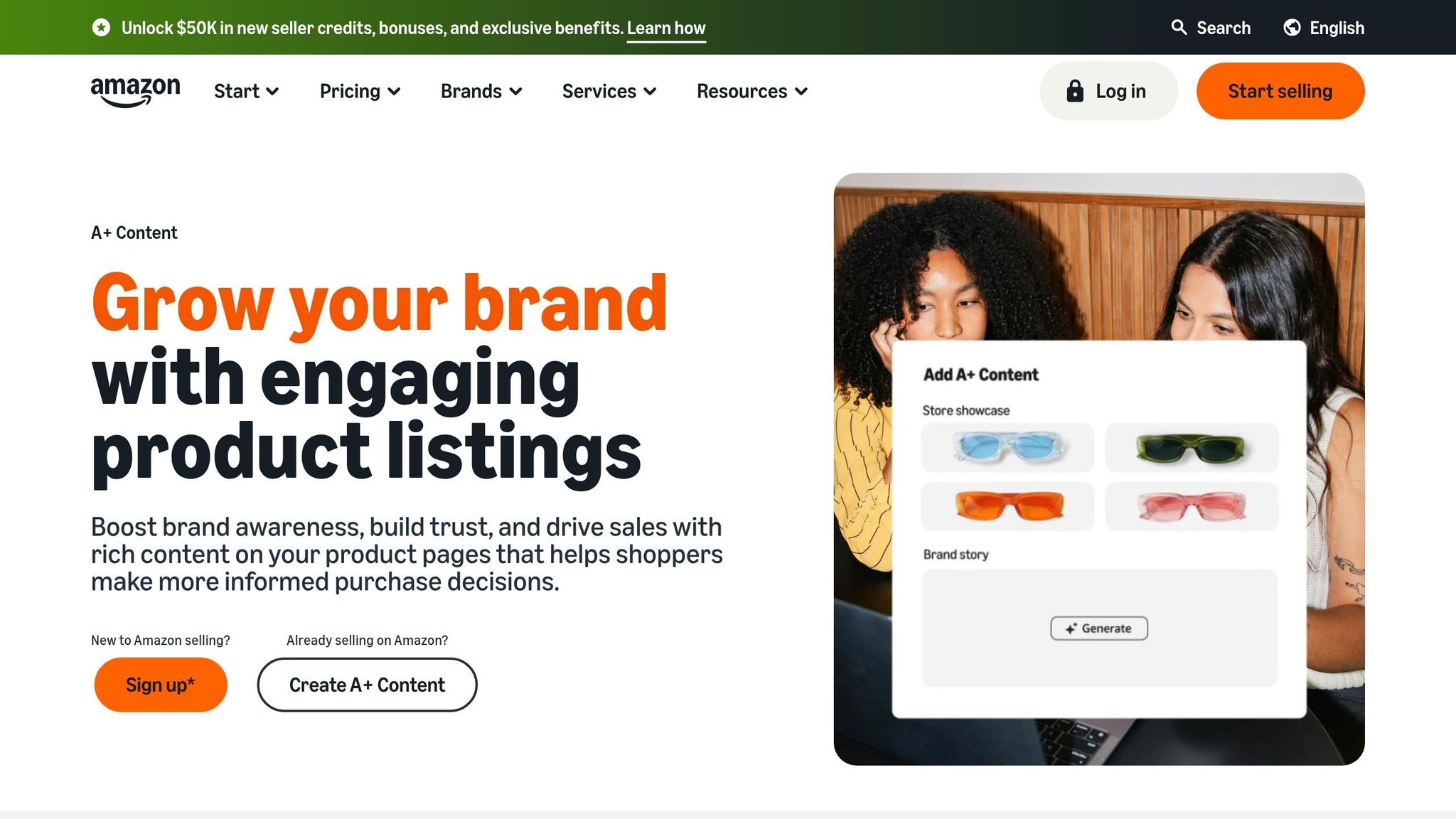
Use longer sections for context, not repetition.
Descriptions and A+ Content should start with the buyer’s outcome, then bring in the specs. Once you’ve set up the use case – their problem, goal, or concern – add the supporting details like dimensions, materials, certifications, and compatibility. Put the outcome first, then back it up with facts.
Keeping copy consistent across large catalogs with FlatFilePro
For large catalogs, keeping feature-and-benefit language steady across every listing can turn into a mess fast. FlatFilePro helps keep benefit language aligned across titles, bullets, and descriptions, while flagging missing content and keeping listings lined up across marketplaces. That helps keep feature-benefit messaging in sync across every listing.
A simple process for writing stronger Amazon copy
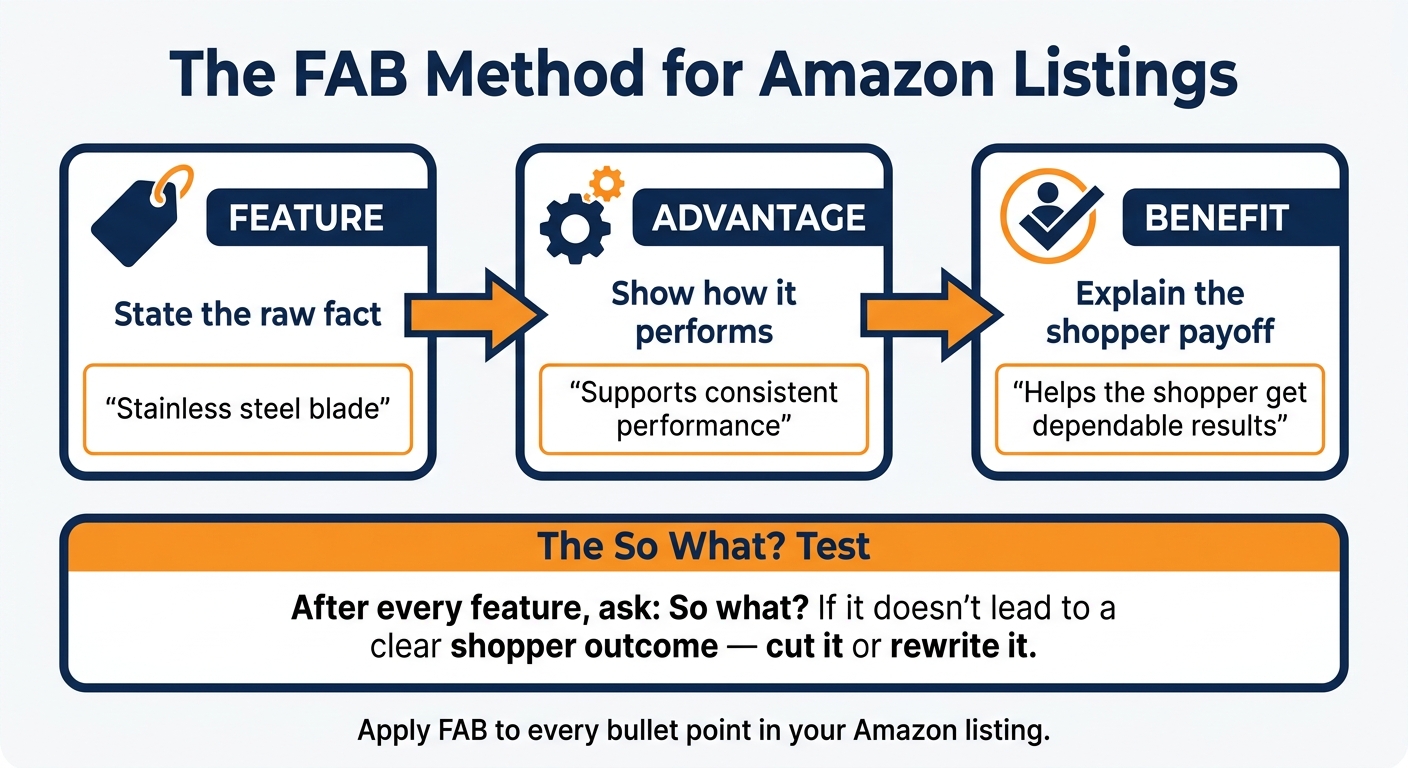
The FAB Method: Turn Amazon Features Into Benefits That Sell
Strong Amazon copy starts with one habit: test each feature against what it does for the shopper before you publish it. That’s how you keep your copy clear instead of stuffing it with specs that don’t help someone make a buying choice.
A simple way to do that is with two checks.
The ‘So what?’ test for every feature
For every feature you write down, ask: So what? That one question pushes you to link the spec to shopper value. If a feature doesn’t lead to a clear shopper outcome, cut it or rewrite it.
If you want a more structured way to run that check, use FAB.
The FAB method: feature, advantage, benefit
The FAB method gives you a three-step structure for turning raw product data into persuasive copy:
| Step | Role in copy | Example |
|---|---|---|
| Feature | States the raw fact or technical detail | "Stainless steel blade" |
| Advantage | Explains what the feature does better or how it performs its function | "Supports consistent performance" |
| Benefit | Explains why the shopper should care about the feature and advantage | "Helps the shopper get dependable results" |
Here’s the idea in plain English: the feature names the fact, the advantage shows the performance gain, and the benefit explains the shopper payoff. Use that sequence in each bullet so the copy stays focused on outcomes, not just product details.
Conclusion: write listings that inform and persuade
Features and benefits work best as a pair. Features build trust. Benefits push the shopper to act. The simple rule: match every claim with a clear shopper outcome.
That balance matters most in the parts of your listing people scan first. Shoppers move fast, so lead with the outcome and then back it up with the feature.
Go through each bullet and rewrite any line that only names a feature without showing what the shopper gets from it. Apply FAB to every bullet.
FAQs
How many benefits should I include?
Include 3 to 5 key benefits.
That’s the right range if you want the FAQ answer to match the article’s guidance and stay easy to scan. Pick the benefits that matter most to your reader instead of stuffing in every possible point.
Can benefit-led copy hurt Amazon compliance?
Yes. If you lean too hard on benefit-led copy, it can drift into hype, vague promises, or claims you can’t back up. That’s where compliance problems start.
The safer move is simple: pair benefits with accurate features, and make every claim clear, specific, and truthful.
What if my product has technical buyers?
If your product is aimed at technical buyers, keep the technical details in the listing. Just don’t leave them hanging there on their own. Tie each one to why it matters. Features help these shoppers judge the product. Benefits show what those features mean in day-to-day use.
The sweet spot is balance. Start with clear benefits, then back them up with the specs and details technical buyers expect to find.